
Inside Bayline
One system for the whole shop — front counter to back bay. Here's what it looks like.
Front counter
Everything the front counter touches.
Dashboard
Your whole shop, at a glance.
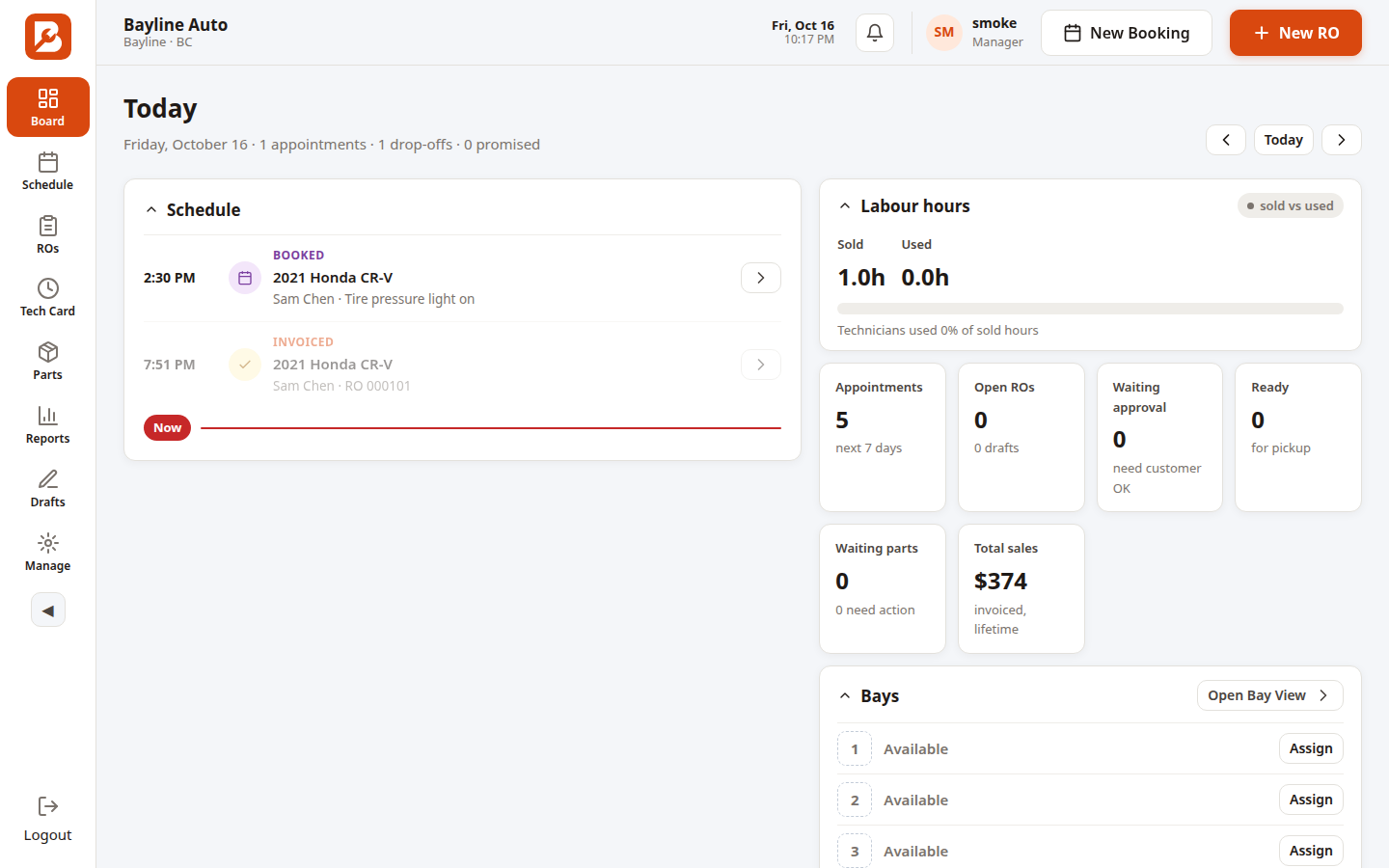
The board is where the day starts: today's appointments and promised times, labour hours sold versus used, counts for open ROs, waiting approval, waiting parts and ready-for-pickup — plus a live view of which car is on which bay. One screen answers "what needs me right now?"
Schedule
Appointments that turn into repair orders.
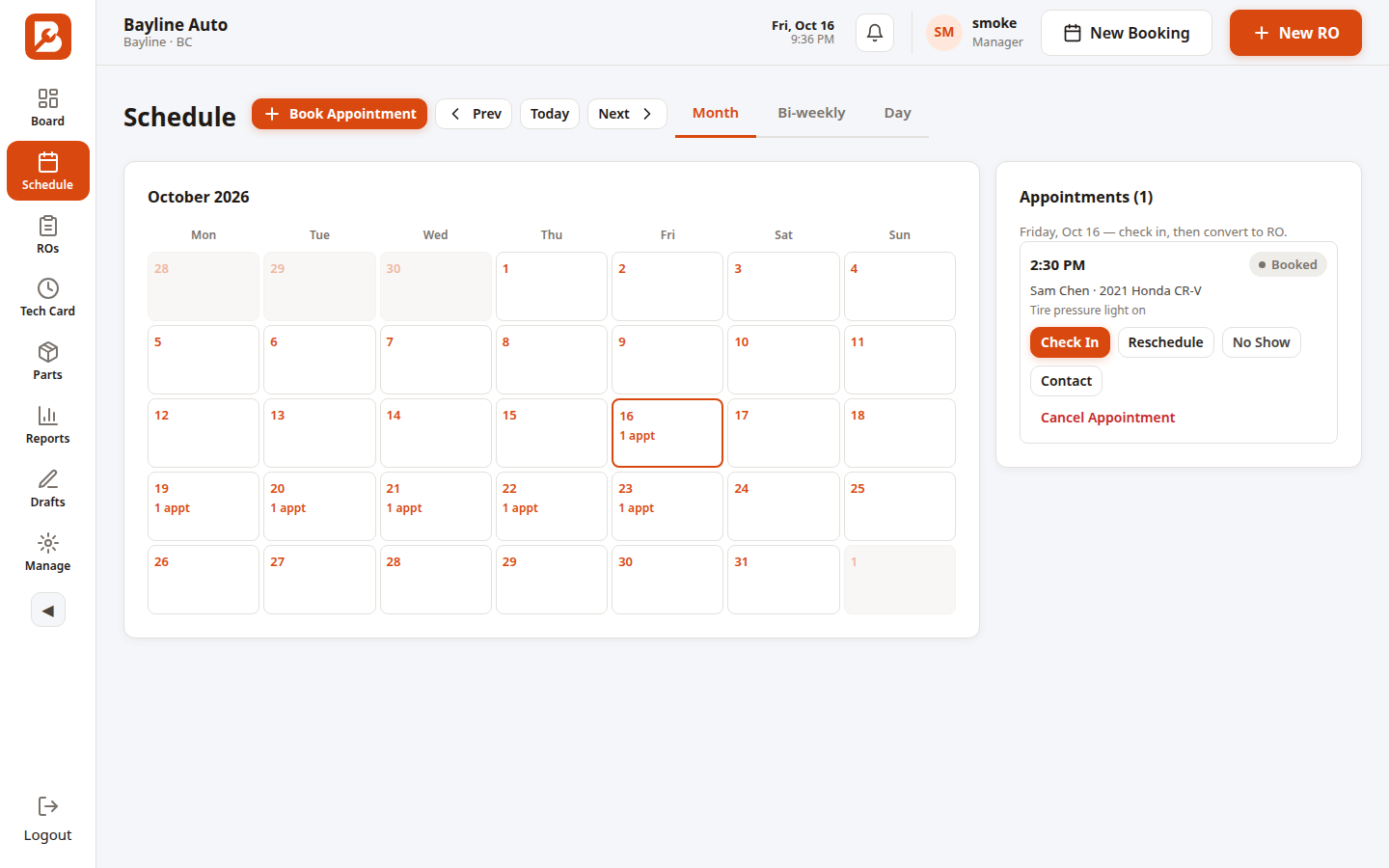
Month, bi-weekly and day views. Book with the customer and vehicle attached; when they arrive, one tap on Check In opens the RO with everything carried over. Reschedule, no-show and cancel are one tap each, and the day's list always matches what's actually in the shop.
Repair orders
The RO is the heart of the shop.
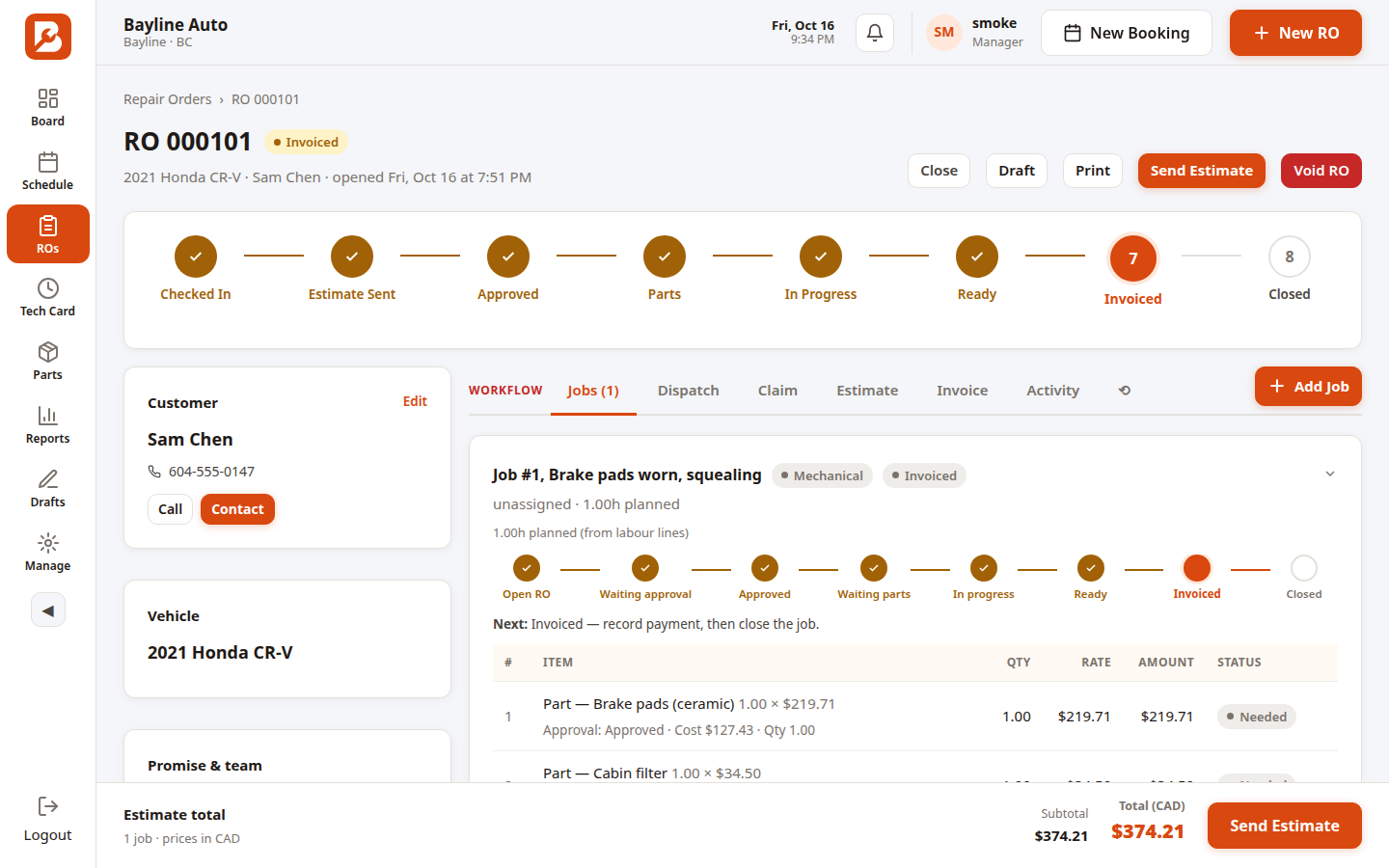
Every repair order (RO) moves through six stages — Checked In, Approved, In Progress, Ready, Invoiced, Closed — and the stepper always shows the truth. Customer card with tap-to-contact, jobs with parts and labour lines, dispatch to technicians, estimates the customer approves on their phone, invoicing, and a full activity timeline. ROs number sequentially per shop, and the invoice carries the RO number so paperwork always ties together.
Estimates
Estimates customers actually sign.
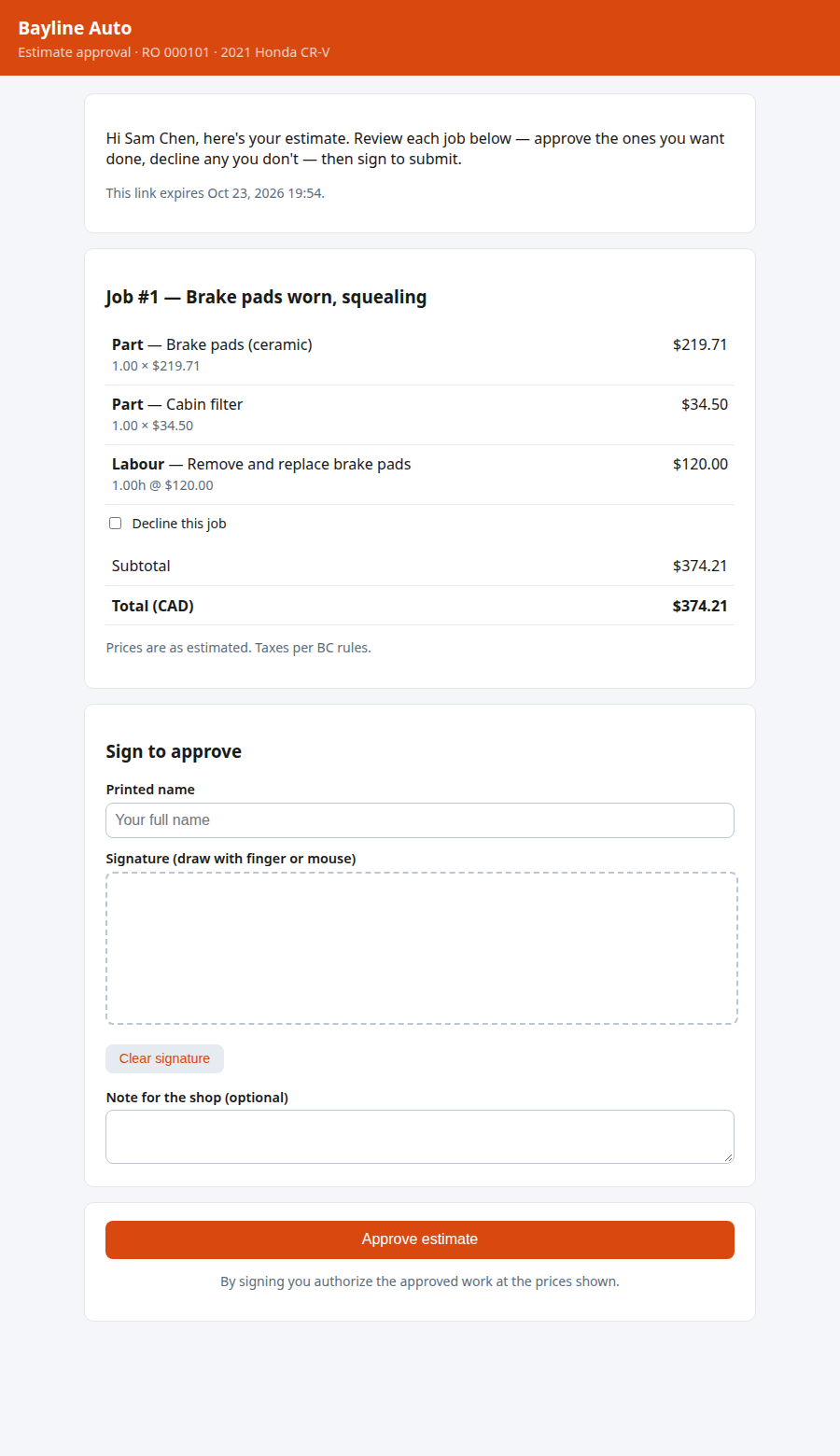
Send the customer a secure link — they approve line by line and sign on their phone, no app needed. Declined lines never reach the invoice, and every edit re-versions the estimate so the snapshot stays truthful.
Invoicing
Invoicing that adds up.
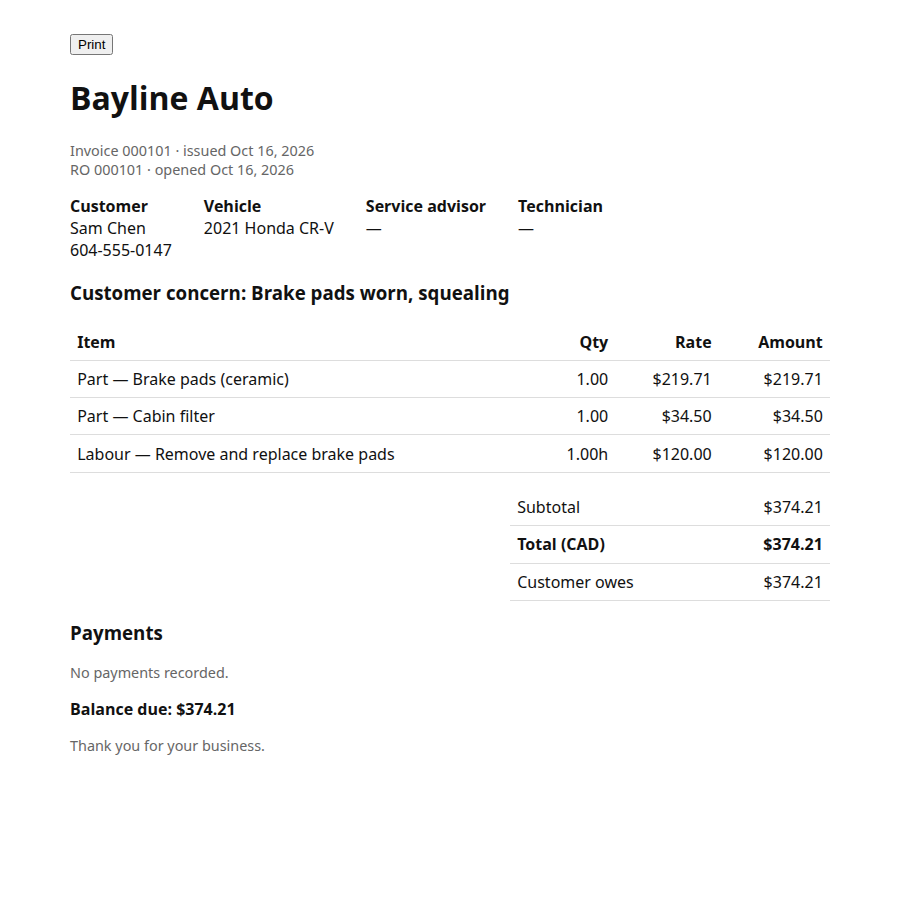
Insurer splits with deductibles, payments, credits, and printable invoices. Issuing an invoice freezes a tamper-proof snapshot, and every money movement lands in the audit log.
Communication Center
Every customer conversation, in one place.
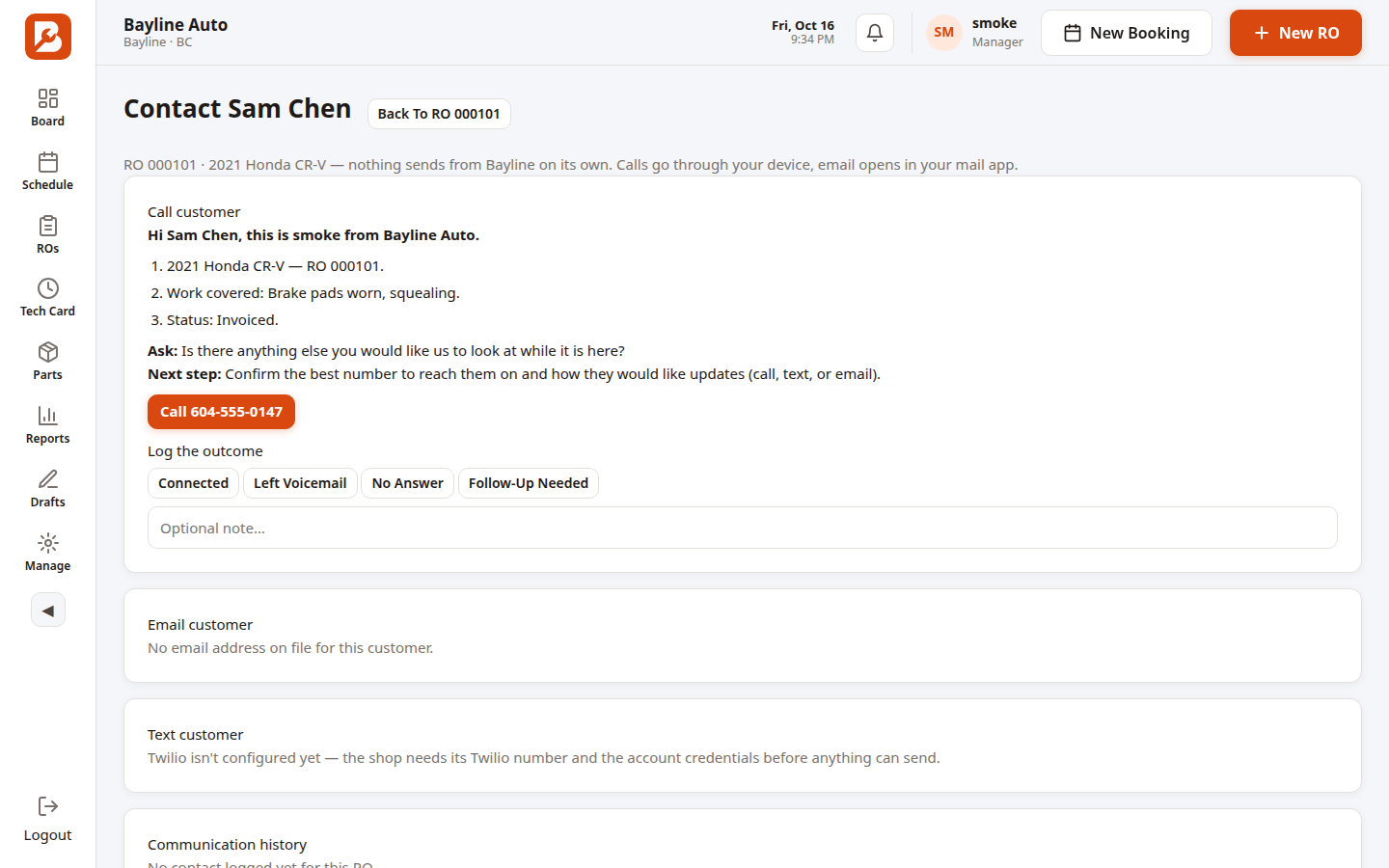
Unlimited email and SMS of estimates and invoices — sent from your shop's own phone number, so texts come from the shop, not a stranger's number or the advisor's personal cell. No per-user or per-text fees. Voice calls — coming soon.
Pick a reason, review the exact message, send with one tap. Consent is enforced at send time, every message is logged on the RO thread, and delivery status is tracked.
AI message drafts
AI writes it. You approve it.
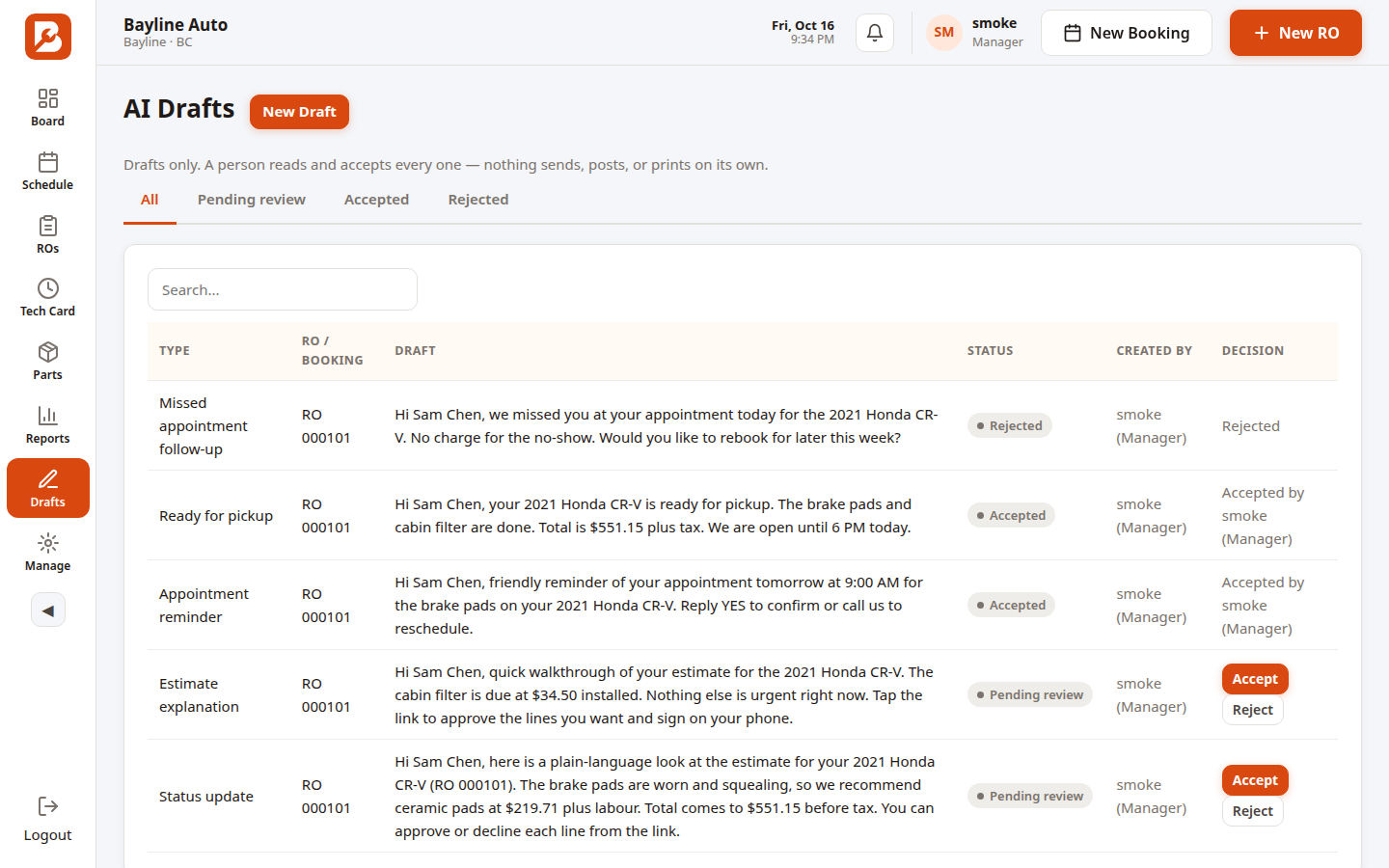
Six message types drafted for you — status updates, estimate explanations, ready-for-pickup, appointment reminders, no-show follow-ups, declined-estimate follow-ups. A human accepts every draft before it's used. Drafts use the RO details — customer name, vehicle, estimate lines — sent to the AI account your shop connects (xAI today). Nothing goes out without your approval, and nothing ever sends on its own.
AI connector included — connect your xAI account today; more providers coming.
Shop floor
Built for the back of the shop.
Tech Card
Built for greasy fingers.
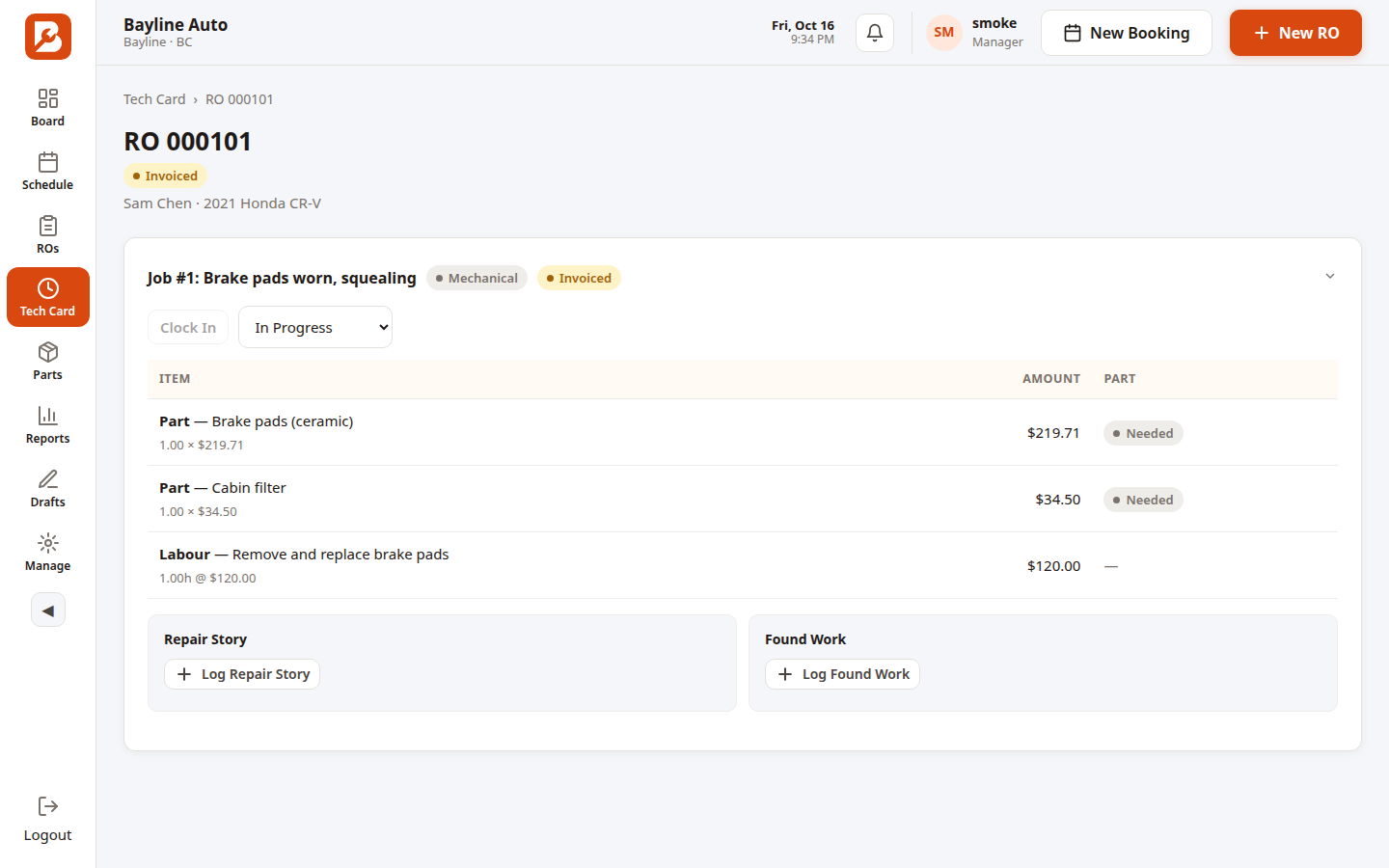
Stripped down to the job in front of them: pick the RO, clock in with one tap, log the repair story, flag found work for the advisor — all from a phone on the shop floor. Clock times feed straight into labour reporting, so billed hours are never a guess.
Bays & hoists
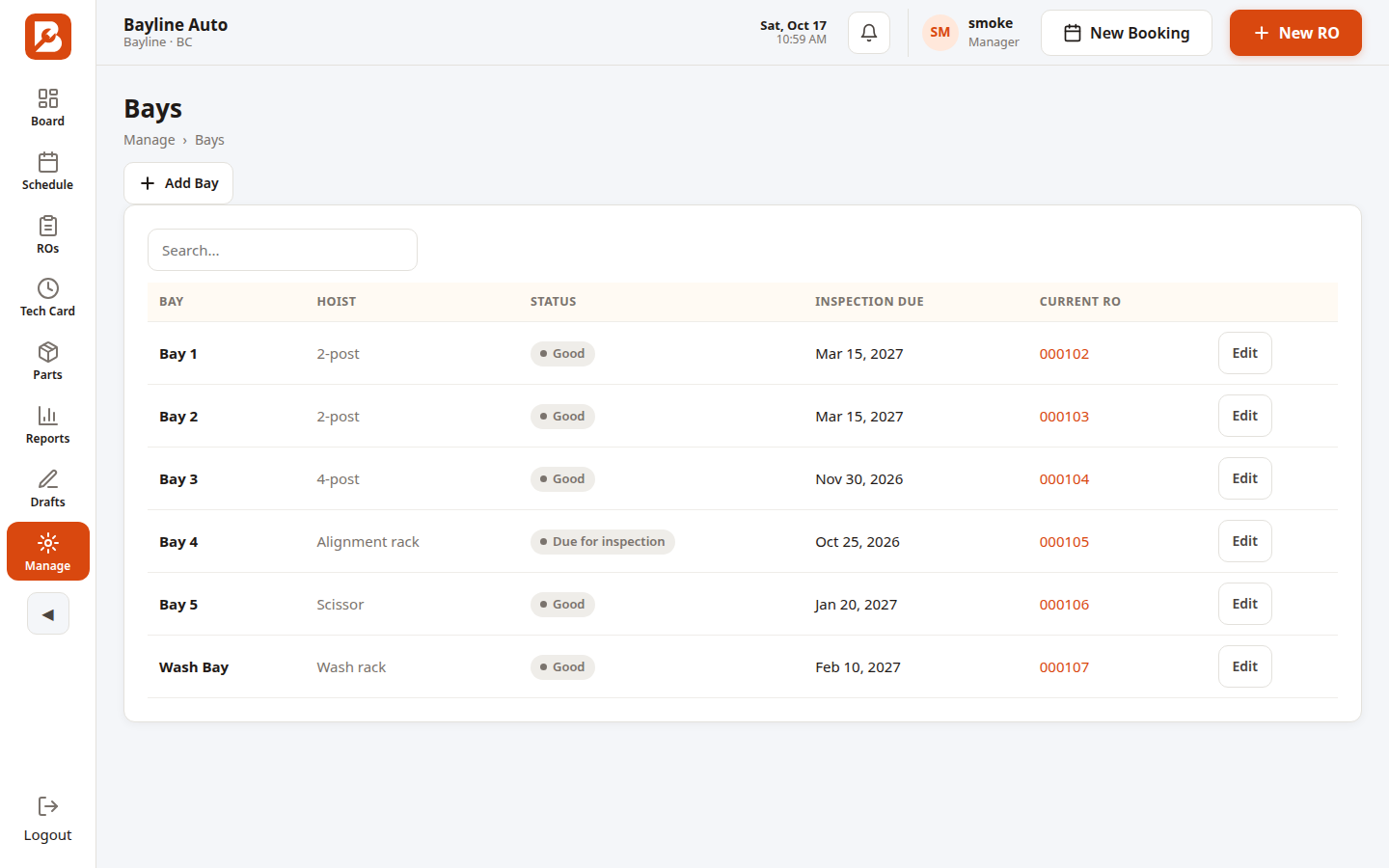
Every bay, hoist and inspection in one place.
Hoist type, bay status, and maintenance and inspection records — with the current RO on each bay visible at a glance. No more walking the shop to see what's free.
Tools & equipment
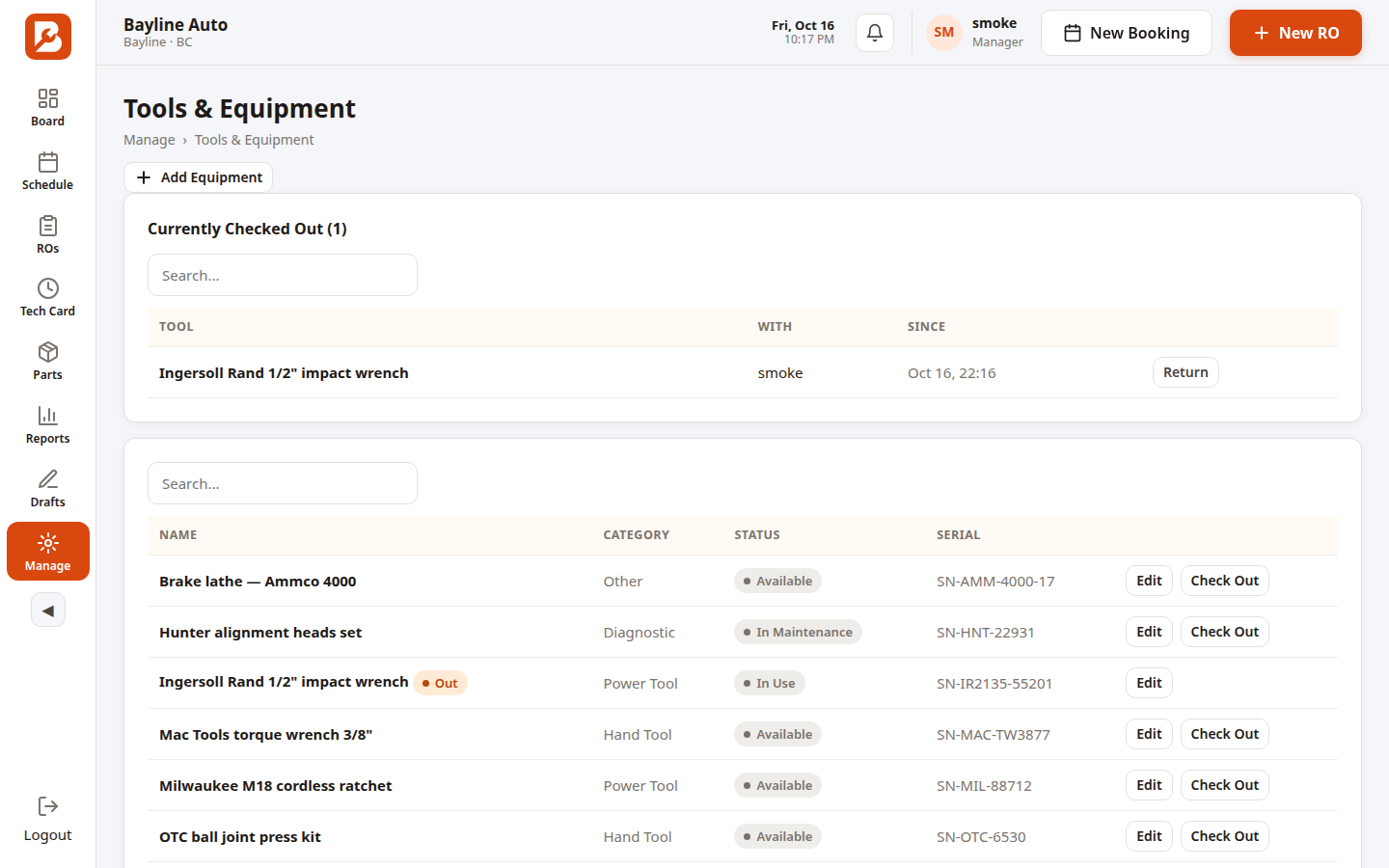
Know where every tool is.
Manage shop tools and equipment with check-out and return. Serials, condition and who's holding what — so the $400 scan tool stops growing legs.
Management
Run the numbers, not just the shop.
Reports
Every report the shop needs.
Sales summary, parts gross-profit analysis, technician productivity, work-in-progress snapshot, estimate win rate, inventory valuation and schedule reports — with date ranges, print and export.
Tech efficiency
Book hours vs. clock hours.
Book hours are what the customer pays; clock hours are what the tech actually spent. Bayline puts them side by side per tech, per job, so you can see exactly where labour profit leaks.
Techs clock in from the Tech Card, so actual time is captured — and the Technician Productivity report puts book next to clock per tech.
Demo data
Users & access
Unlimited users, with access control.
Add the whole team — advisors, techs, managers — with no per-user fees. Role-based access controls who sees what, so techs see jobs and money stays with the front counter. See what each role sees ↓
Parts margin
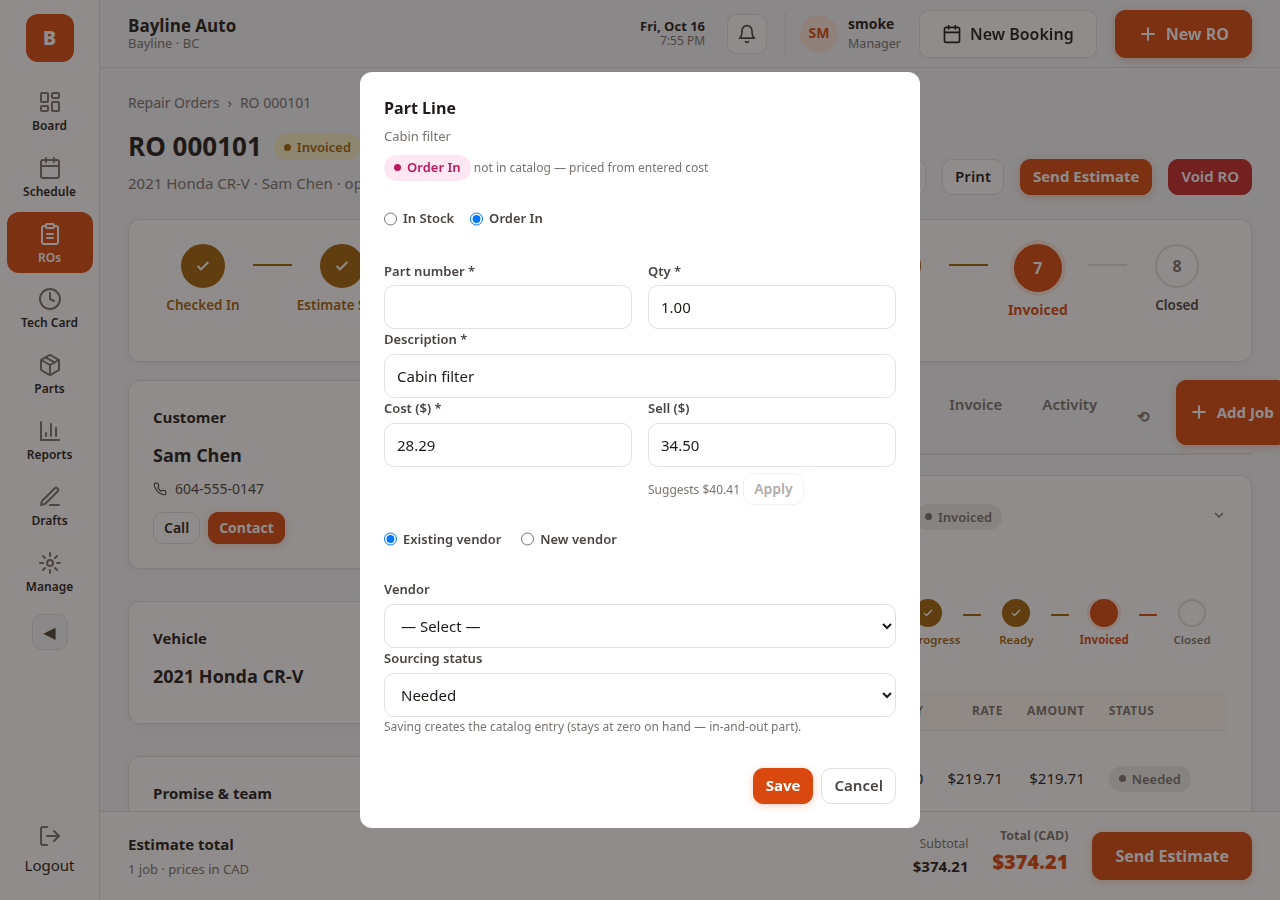
Margin, live on every line.
Gross profit shows live on every parts line as you build the estimate, with a floor that warns before you sell too cheap. Month-end, the parts GP report shows exactly where the money went.
Roles & access
Every seat sees its own job.
Everyone signs in with their own login, and Bayline opens the modules for their job — nothing more. A tech never lands in your settings, and an advisor never edits a labour rate. Click any picture to enlarge it.
Manager
The manager runs the whole shop.
Full access to every module — Board, Schedule, ROs, Tech Card, Parts, Reports and the AI Drafts tray — plus the one area nobody else can open: Manage. Shop profile, labour rates, taxes, staff accounts, bays, billing and the audit log all live there, and Manage asks for a manager login every time.
The manager's Board is the whole shop at a glance: sold vs. used labour hours, open ROs, team availability and each tech's load.
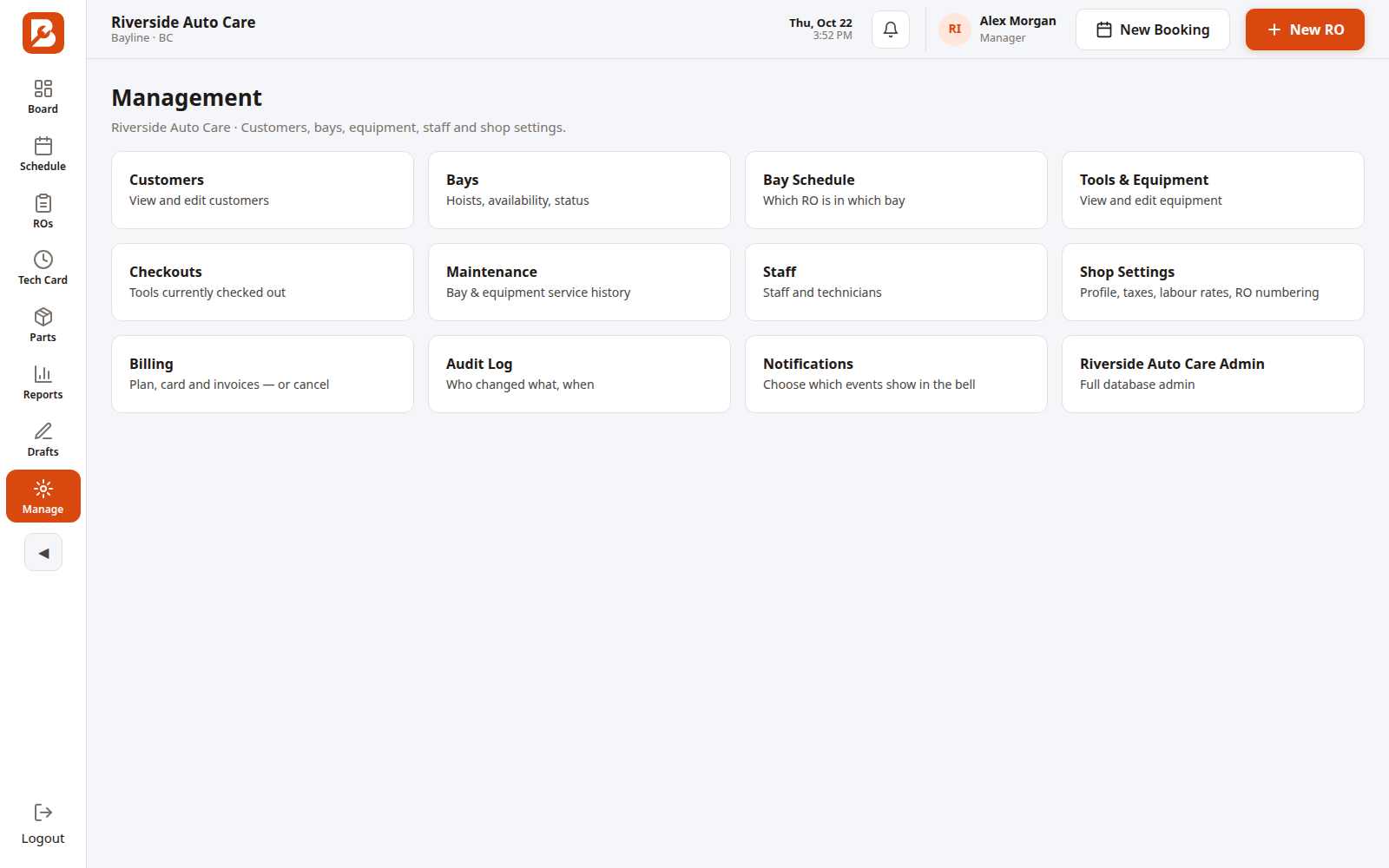
Manage — customers, bays, equipment, staff, shop settings, billing, audit log. Managers only.
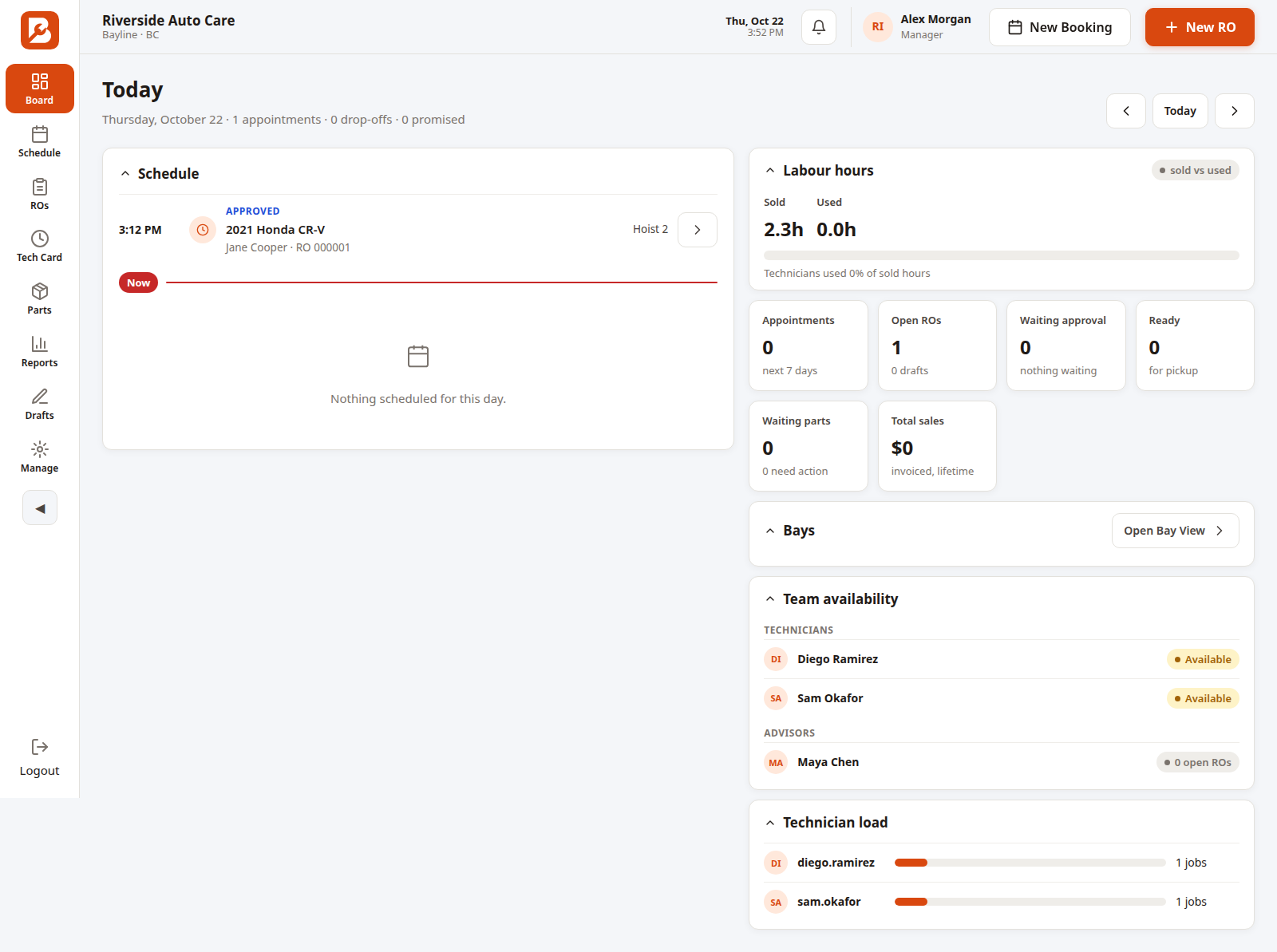
The Board — the whole shop's day on one screen.
Advisor
Advisors run the counter, not the settings.
An advisor's day is the Schedule and the Board: bookings, check-ins, repair orders, estimates customers sign, parts and customer messages — including the AI Drafts tray, where every drafted text or email waits for a human to accept it before anything sends.
Locked out: Manage stays closed. An advisor can't change labour rates, taxes or staff accounts, and never sees the shop's billing.
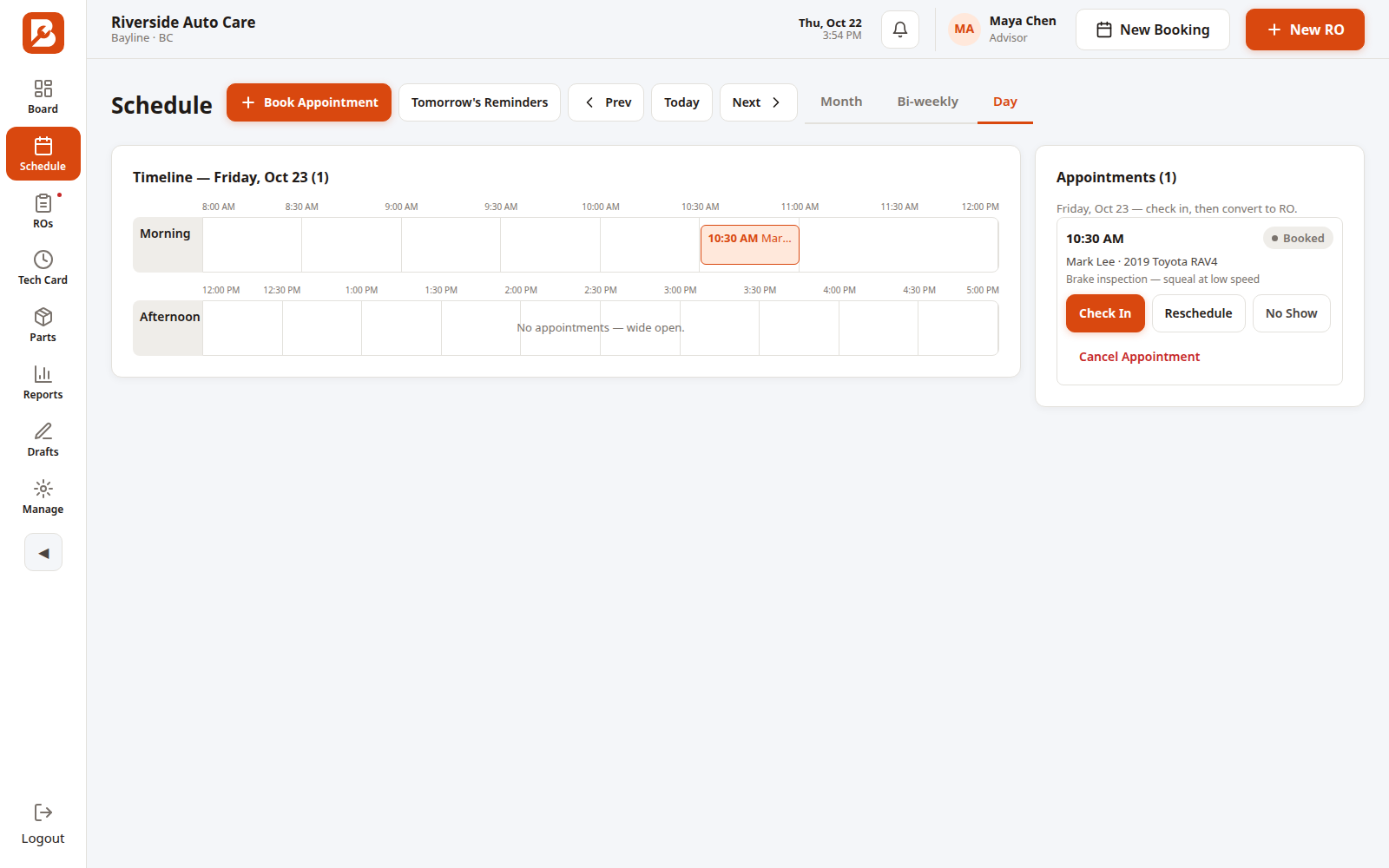
The Schedule, day view — the advisor's home turf.
Technician
Techs see their jobs. Just their jobs.
The Tech Card lists only the repair orders with work assigned to that tech. They open a job, clock in, write the repair story and log any found work — and their time lands straight in the efficiency reports.
Locked out: pricing is read-only for techs — no cost or sell price ever opens for editing on their login — and there's no Drafts tray and no Manage area. The money stays with the front counter.
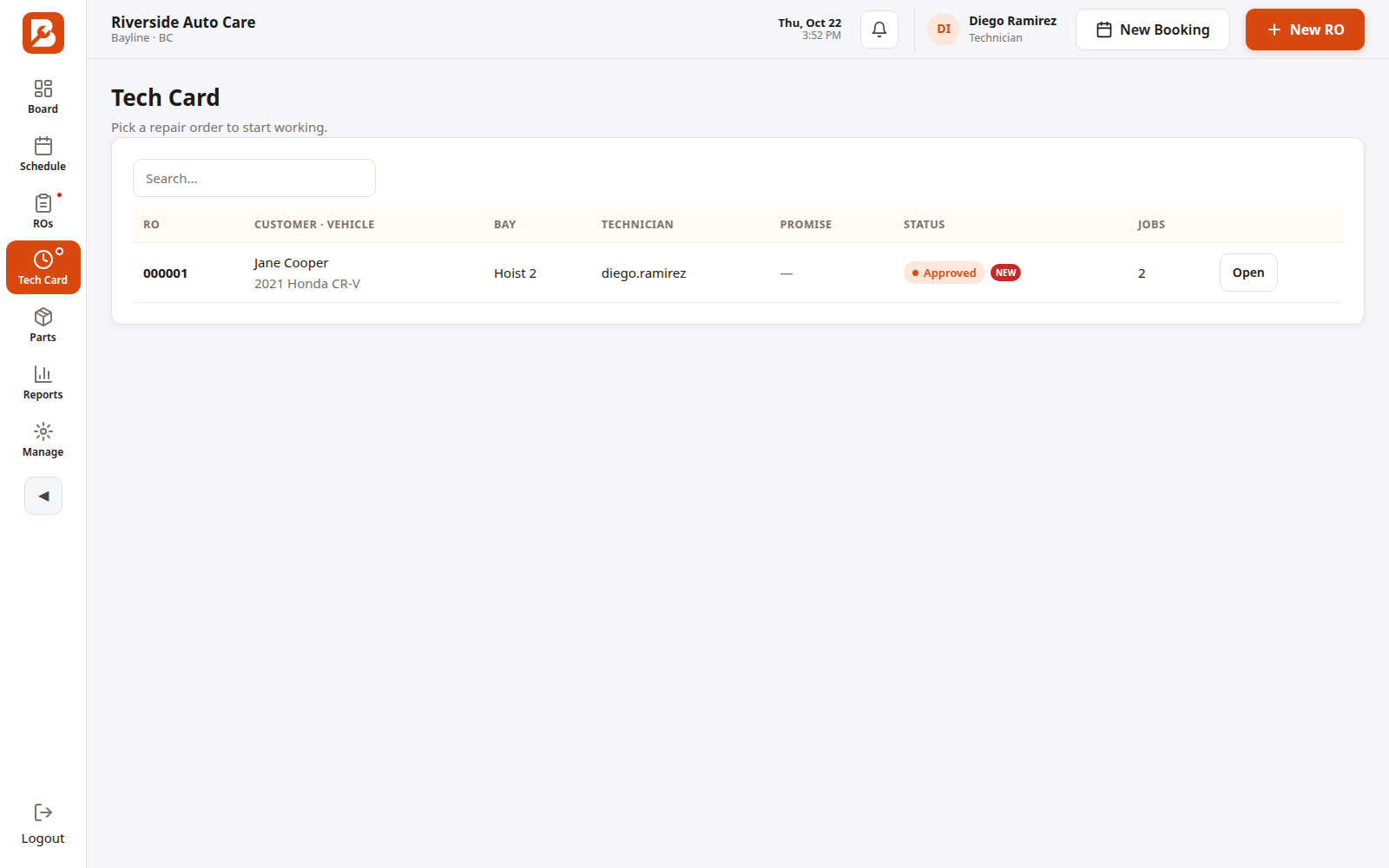
The Tech Card — one tech, their assigned work, nothing else.
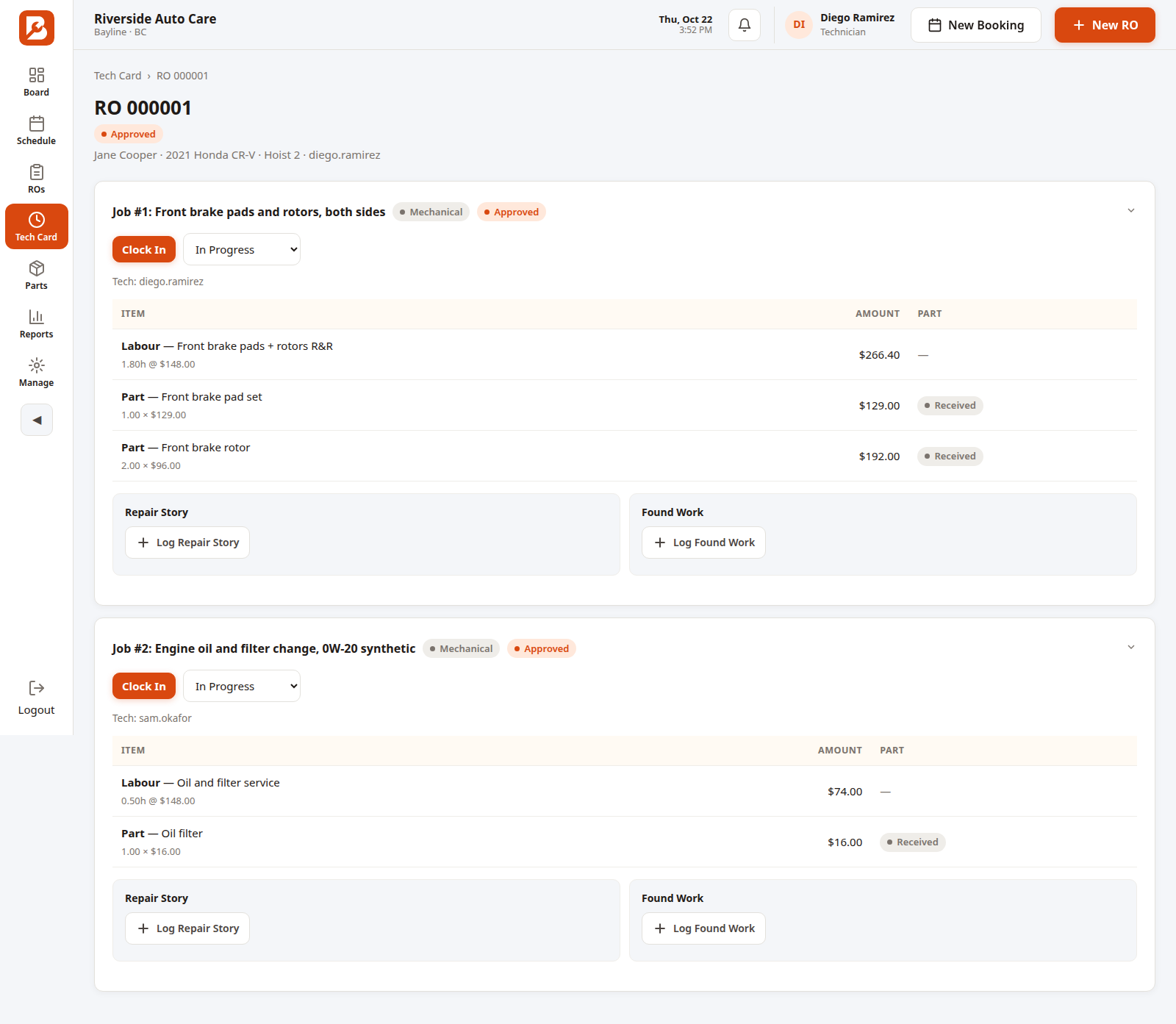
Inside the job — clock in, repair story, found work.
One shop, one login each — no shared password at the counter, and every change is recorded under the name of the person who made it.
How the $69 compares
| Bayline | Tekmetric | Shopmonkey | Shop-Ware | Mitchell 1 SE | |
|---|---|---|---|---|---|
| Monthly price | $69 CAD | ~$275–$606 CAD* | ~$330–$689 CAD* | ~$385–$1,379 CAD* | Quote only |
| Estimates & invoices by email + SMS | Included | Higher tier only | Included | Included (Startup limited) | Paid add-on ($39/mo) |
| Texting limits | Unlimited | Unlimited (top tier) | Unlimited | Unlimited (Pro+) | TBD |
| Shop phone number | Included | Not listed | Included | Not listed | Not listed |
| AI connector | Included | Not listed | Not listed | Included (Pro+) | Not listed |
*Converted from USD at ~1.38 for comparison. Based on publicly listed pricing as of Oct 16, 2026 — plans change, check each provider. "Not listed" means the public pricing page doesn't confirm it; "TBD" means unverified.